A Better IPTV Experience Starts With the Player
August 10, 2026 · 5 min read
When you turn on a live channel, you probably aren't thinking about the player behind it. You just want to watch.
You don't want to sit there looking at a loading spinner. You don't want the picture freezing every few seconds or playback constantly trying to catch up. And you definitely don't want to spend five minutes digging through categories just to find the channel, movie or show you were looking for.
A good IPTV experience should feel simple.
Open the player, find something to watch and press play.
That's what we've been focusing on with EVStream. Smooth playback is obviously a big part of it, but we've learned that playback is only one piece of the experience. Once you use IPTV regularly, the little things around the player start to matter just as much.
Live TV should feel live
Live TV is probably the easiest place to notice when something isn't working well.
With a movie, you might tolerate waiting a few seconds for it to start. With Live TV, you're watching something that's happening right now. A football match, news broadcast or live event doesn't wait for your player to catch up.
That's why we've spent a lot of time working on how EVStream handles Live TV streams.
There are many different IPTV providers out there, and they don't all deliver streams in exactly the same way. Some channels behave differently from others, even within the same playlist. Making playback work reliably across as many of those combinations as possible has been an ongoing part of building EVStream.
And we're still working on it.
For us, the goal is pretty straightforward: when you select a channel, it should start playing and then stay playing.
No unnecessary steps in between.
Finding something shouldn't be a job
Anyone with a large IPTV playlist probably knows this problem.
You know what you want to watch. You just don't know where your provider put it.
Maybe it's inside Sports. Maybe there's another Sports category for your country. Maybe it's under UK Sports, Premium Sports or something completely different.
Scrolling through category after category gets old very quickly.
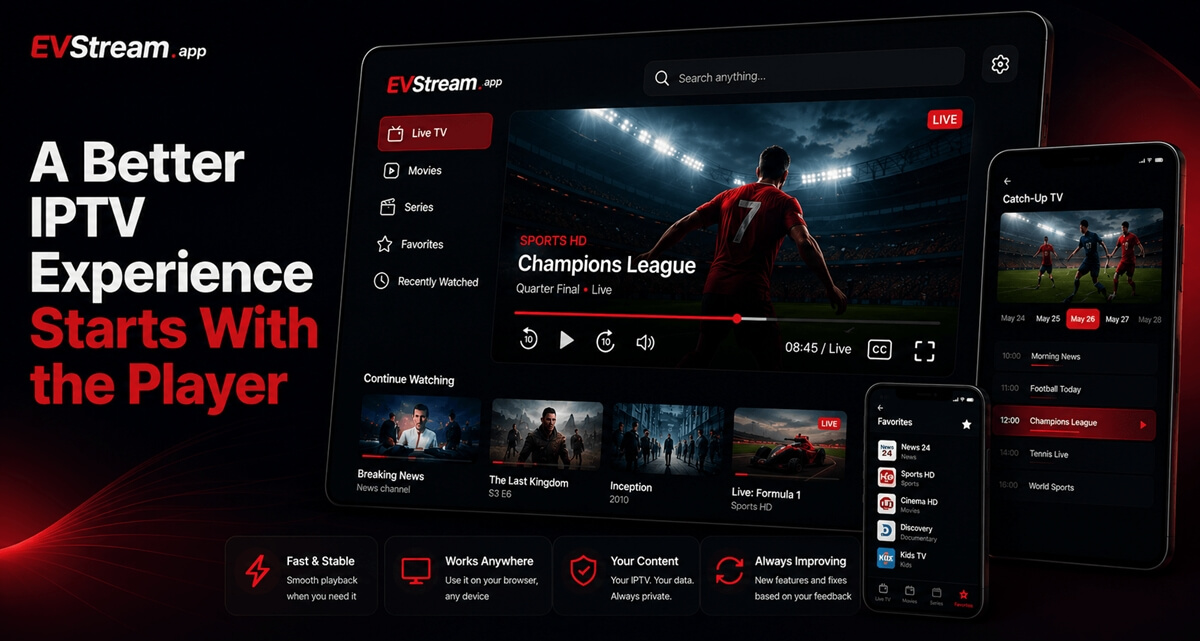
That's why we added Global Search to EVStream.
Instead of figuring out which category something belongs to first, you can simply search for it. EVStream searches across your available content and helps you get to what you're looking for without all the digging around.
It's a relatively simple feature, but it's one of those things that becomes difficult to give up once you're used to having it.
One search, results from wherever your provider put them.
Missed something live? Catch up
Sometimes you simply can't watch something when it's being broadcast.
That's where Catch-Up TV comes in.
If your IPTV provider supports Catch-Up for a channel, EVStream lets you go back and watch previously aired content instead of being limited to what's playing right now.
We wanted this to feel like part of the player rather than a completely separate experience. You can choose an earlier time and go back to something you've missed.
It can be useful for a match you couldn't watch live, a news program from earlier in the day, or simply something you remembered a few hours too late.
Of course, Catch-Up availability ultimately depends on what your IPTV provider makes available for that particular channel.
Your favorites should actually be easy to reach
IPTV playlists can be huge.
Thousands of channels might sound great, but realistically, most of us return to a much smaller group again and again.
That's why Favorites are such a basic but important part of EVStream.
Found a channel you watch regularly? Add it to your Favorites. The same idea applies when you're browsing through your content and don't want to search for the same thing every time.
It's not a flashy feature. It just saves time.
And those are often the improvements we care about most.
Favorites
Live TV, movies and series in one place
An IPTV subscription often contains much more than Live TV.
There can be movies, complete series libraries, sports, international channels and plenty more depending on your provider.
We don't think you should need a different interface for every part of it.
EVStream keeps Live TV, Movies and Series together, while still giving each section enough structure that browsing doesn't become overwhelming.
You can jump between them without leaving the player or installing another app.
And because EVStream runs in the browser, you can use it across different devices without having to find and install a separate IPTV application for each one.
It's the small things that make the difference
We've added plenty of larger features to EVStream, but some of our favorite improvements have been surprisingly small.
A better search. Bigger player controls. 10-second skip buttons. Remembering your subtitle preferences. Making Catch-Up easier to navigate. Fixing a button that didn't behave properly in full screen.
None of these features completely changes what IPTV is.
They just remove little annoyances.
And when you use a player regularly, removing those annoyances adds up.
That's really what we're trying to do with EVStream: make the time between "I want to watch this" and actually watching it as short and uneventful as possible.
Just open it and watch
You already have your IPTV provider. EVStream is simply the player that connects you to it.
Bring your IPTV credentials, connect your provider and your Live TV, Movies and Series are available directly from your browser.
No complicated setup and no separate application to install.
We're also continuing to improve the player based on what people actually run into while using it. A number of features and fixes we've released started with a simple message from an EVStream user telling us what wasn't working well or what would make their experience better.
So if there's something you'd like us to improve, tell us.
In the meantime, grab something to watch, get comfortable and let the player do its job.
Open your Tesla browser and try it today
Charge your car. Stream your favorites.
Launch EVStream.app